
Run your mock API offline: local development and CI with the Mockfly CLI
A hosted mock is great until the Wi-Fi drops on a train, the CI runner sits in a network that can't reach the internet, or a test suite fires a few thousand requests and you'd rather keep them off a shared URL. The Mockfly offline CLI solves that: you pull your projects once and serve them from localhost, with the same rules, Faker templates and delays you configured in the web app. This guide covers the local workflow, a CI setup that only needs the network for one step, and the details that bite when you switch between the hosted and the local mock.
When a local mock is the better choice
- No connection. Planes, trains, conference Wi-Fi, a VPN that blocks outbound traffic.
- Air-gapped or locked-down CI. Runners that can't call external hosts during the test step.
- Fast, isolated test runs. Requests go to a process on the same machine, and logs land in your terminal next to the test output.
- A frozen version of the mocks. A snapshot doesn't change while a test run is in progress, even if a teammate edits the project in the web app.
The hosted mock is still the source of truth: that's where you create endpoints, rules and responses, and where the team shares them. The CLI is a read-only copy for when you need it to run somewhere else.
Quick start: pull once, serve anywhere
You need an account API key (mf_…). Create one at app.mockfly.dev/api-keys; the full key is only shown once, so copy it when it appears.
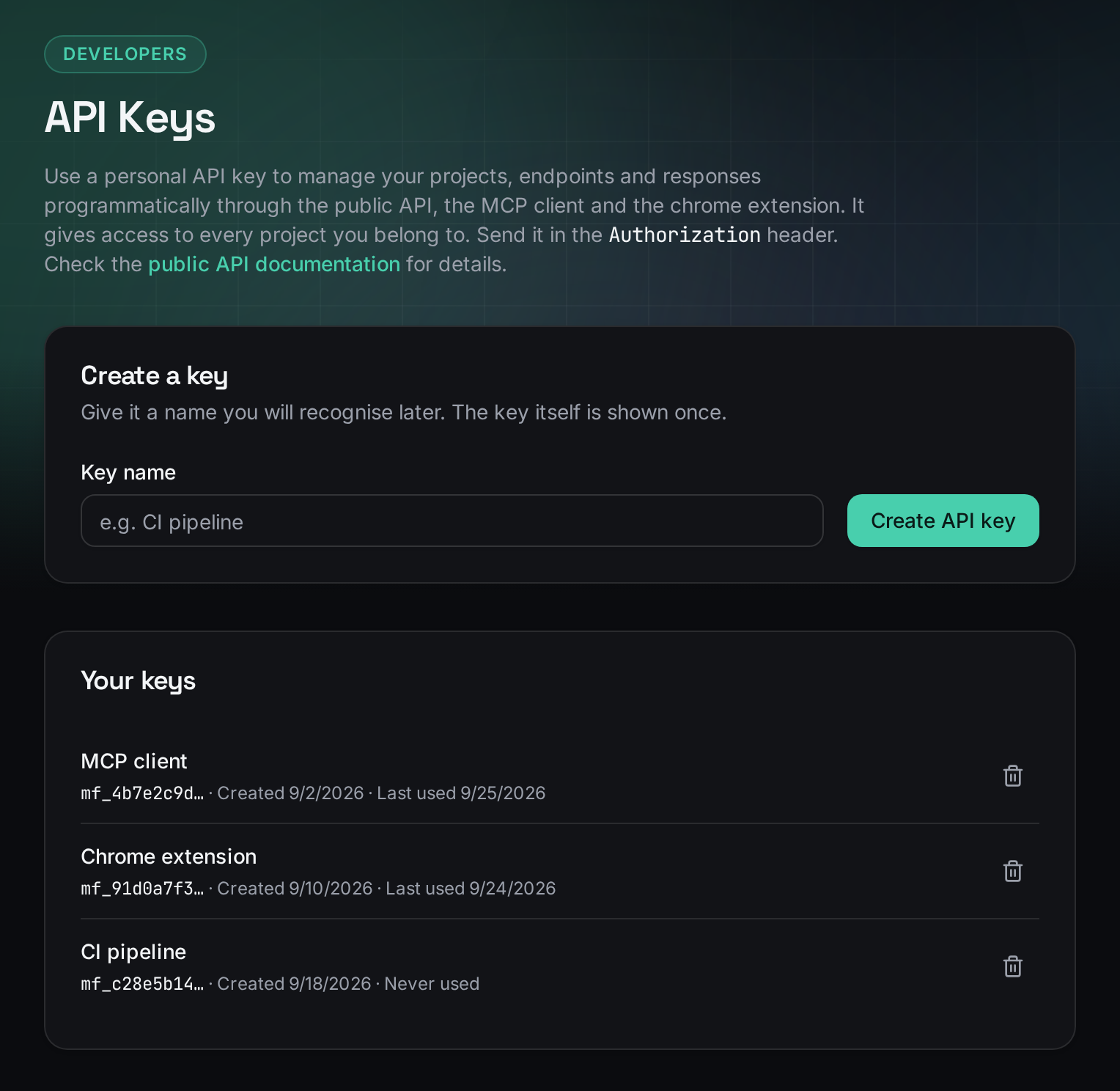
Then, while you are online:
npx mockfly-cli login      # paste the API key
npx mockfly-cli pull       # snapshots all your projects to ~/.mockfly/projects
From now on, no internet is needed:
npx mockfly-cli serveMockfly serving 2 projects on http://localhost:4000
User API http://localhost:4000/user-api (pulled just now)
http://localhost:4000/d3f1…-… — 4 endpoints
Payments Mock http://localhost:4000/payments-mock (pulled just now)
http://localhost:4000/9a2c…-… — 6 endpointsEvery project is mounted twice: under its slug, the same path it has in production, and under a friendly alias derived from its name. Use the alias in local config; it reads better and survives copy-paste.
If you use it every day, install it globally and you get the shorter mockfly command:
npm install -g mockfly-cli
mockfly pull && mockfly serve --port 4000
Point your app at the local mock
The switch should be one environment variable, not a code change. Keep the API base URL in config and give it a value per environment:
// src/api/client.js
const API_URL = import.meta.env.VITE_API_URL // or process.env.NEXT_PUBLIC_API_URL in Next.js

export async function getUsers() {
  const res = await fetch(`${API_URL}/users`)
  if (!res.ok) throw new Error(`GET /users failed with ${res.status}`)
  return res.json()
}
# .env.development — hosted mock, shared with the team
VITE_API_URL=https://api.mockfly.dev/mocks/<your-project-slug>
# .env.offline — local CLI
VITE_API_URL=http://localhost:4000/user-apinpx mockfly-cli serve &
npx vite --mode offlineCopy the hosted base URL from your project page in the web app. Because the local server answers on the same paths, the rest of the client doesn't know which one it is talking to. If you also switch to the real API later, the same idea applies; see switching between the mock and the real API.
Pull only what you need, and know how old it is
pull without arguments downloads every project in your account. On a laptop that's fine; in CI it's wasteful. Name the projects instead, by slug or by name:
npx mockfly-cli pull user-api payments-mock
npx mockfly-cli list        # what is pulled, and how stale it is
npx mockfly-cli rm payments-mock
The snapshot doesn't update itself. If someone changed a response in the web app this morning, your local copy still has yesterday's version until you pull again. Make mockfly list a habit before you chase a bug that "only happens offline": nine times out of ten the snapshot is just old.
Run the mock in CI
The pattern that works on most runners: pull with a key from a CI secret, start the server in the background, wait until it answers, then run the tests. Only the pull step needs to reach Mockfly; the tests themselves talk to localhost. Here it is in GitHub Actions:
# .github/workflows/test.yml
name: test
on: [push, pull_request]

jobs:
  test:
    runs-on: ubuntu-latest
    steps:
      - uses: actions/checkout@v4
      - uses: actions/setup-node@v4
        with:
          node-version: 22
      - run: npm ci

      - name: Pull mocks
        run: npx mockfly-cli pull user-api --key "$MOCKFLY_API_KEY"
        env:
          MOCKFLY_API_KEY: ${{ secrets.MOCKFLY_API_KEY }}

      - name: Start local mock
        run: |
          npx mockfly-cli serve --port 4000 > mock.log 2>&1 &
          curl --silent --output /dev/null --retry 20 --retry-delay 1 --retry-connrefused \
            http://localhost:4000/user-api/users

      - name: Run tests
        run: npm test
        env:
          API_URL: http://localhost:4000/user-api

      - name: Mock logs
        if: always()
        run: cat mock.log
A few details in there are deliberate:
--keyinstead oflogin.pullaccepts the key as a one-off override, so nothing is written to~/.mockfly/config.jsonon the runner. TheMOCKFLY_API_KEYenvironment variable also overrides a saved key if you prefer that style.- Waiting on a real endpoint.
curl --retry-connrefusedkeeps trying until the port accepts connections, so the tests never start against a server that isn't listening yet. Use any GET endpoint your project has. - Printing the log at the end. Offline, requests are logged to stdout instead of the cloud dashboard. Saving that output and printing it when a job fails tells you which requests the app made and what the mock answered.
For browser tests, the same steps work in front of Playwright or Cypress; the E2E mocking guide shows how to drive scenarios with header rules once the base URL points at the mock.
Pull per job, or keep the snapshot in the repo?
By default snapshots live in ~/.mockfly/projects, out of your working directory. pull, serve, list and rm accept --dir <dir> to use a folder inside the project instead:
npx mockfly-cli pull user-api --dir ./mocks
npx mockfly-cli serve --dir ./mocks| Pull in every job | Snapshot committed with --dir | |
|---|---|---|
| Network in CI | Needed for the pull step | Not needed at all |
| API key in CI | Yes, as a secret | No |
| Mocks always current | Yes, the latest saved version | Only as current as the last commit |
| Mock changes reviewed in PRs | No | Yes, the diff shows them |
| Secrets risk | Low | Pulled files include environment variables |
The last row decides it for many teams. A snapshot contains the project's environment variables, so committing it shares whatever is in them. If you pull into the repo, add the folder to .gitignore unless you are sure those variables hold nothing sensitive.
What behaves the same offline, and what doesn't
serve answers with a local copy of the Mockfly response engine, so most of what you built in the web app works unchanged:
- Conditional rules on query, body and headers.
- Faker templating and URL, body, header and environment placeholders.
- Endpoint delays, so loading states and timeouts still show up.
- JSON and XML responses.
And a few things are different by design:
- Proxies become mocks. An endpoint configured to proxy to a real API is served as a mock, since there is no network to forward to; the CLI prints a note when that happens.
- Logs go to stdout. Nothing reaches the request logs of the dashboard.
- The snapshot is read-only. Edit in the web app and pull again; the CLI never writes back.
One testing tip that applies to both: Faker values are generated per response, so a test that asserts name === 'Jane' will be flaky. Assert the shape and the status, or use a rule that returns a fixed body for the case you want to pin down.
Keep the API key out of trouble
mockfly loginstores the key in plaintext at~/.mockfly/config.json(mode600), like~/.npmrc. Runmockfly logouton shared machines.- In CI, pass it from a secret with
--keyor the environment variable; never hard-code it. - Revoke a key from the dashboard if it leaks, and create a new one.
- The local server binds to all interfaces like any Express app. It's for development and CI, not for exposing to the internet.
Checklist
- The API base URL comes from an environment variable, with an offline value pointing at localhost.
- You pull only the projects you need, and check their age with list.
- CI pulls with a key from a secret, waits for the port, and prints the mock log when a job fails.
- A snapshot folder in the repo is gitignored unless its environment variables are safe to share.
- Tests assert shape and status, not random Faker values.
All commands and options are in the offline CLI docs, and the source is on GitHub.
Create a mock API and serve it offlineFrequently asked questions
Can I use my Mockfly mock API without an internet connection?
Yes. Run npx mockfly-cli login and npx mockfly-cli pull once while you are online. From then on, npx mockfly-cli serve answers from localhost (port 4000 by default) with no network at all.
Does the offline CLI return the same responses as the hosted mock?
It uses a local copy of the same response engine: conditional rules, Faker templating, URL, body, header and environment placeholders, delays and XML. Endpoints configured as proxies are served as mocks, because there is no network to proxy to, and request logs go to stdout instead of the dashboard.
Can I edit the mocks locally?
No. Pulled projects are read-only snapshots. Edit the endpoints in the Mockfly web app and run pull again to refresh the local copy; mockfly list shows how stale each snapshot is.
How do I use the CLI in GitHub Actions or another CI?
Store an account API key as a CI secret, run npx mockfly-cli pull --key with it, start npx mockfly-cli serve in the background, wait until the port answers and point your tests at http://localhost:4000/<project-alias>. Only the pull step needs to reach Mockfly.
Should I commit the pulled snapshot to my repository?
Only if the project has no secrets in its environment variables. Pulled files include them, so if you pull into a repo with --dir, add that folder to .gitignore unless you are sure there is nothing sensitive in it.